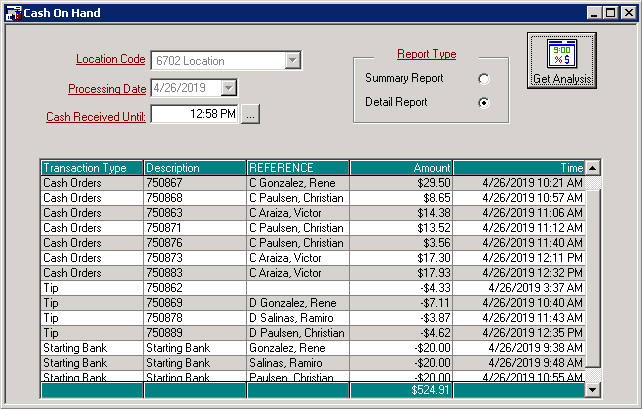
How to View Cash on Hand
- Go to Back Office -> Management

- Login.

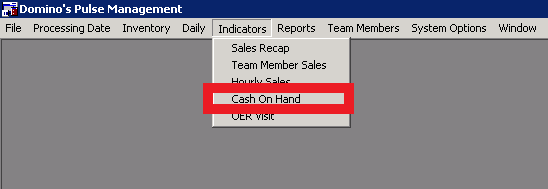
- Select Indicators -> Cash On Hand
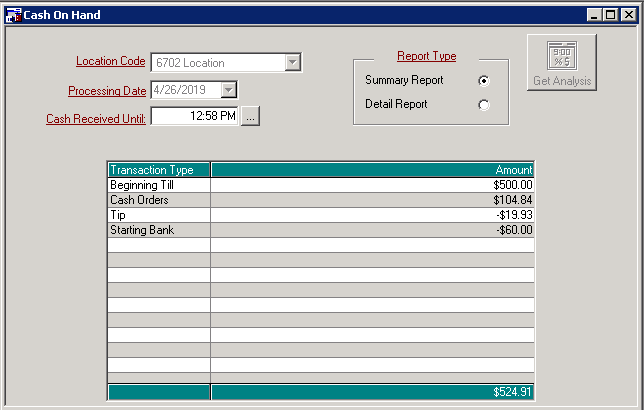
- The Cash On Hand Summary Report for the day will now display
- If more detail is needed select Detail Report
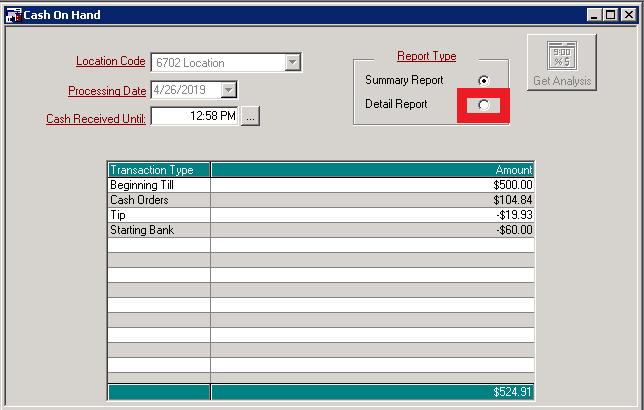
- Click on Get Analysis
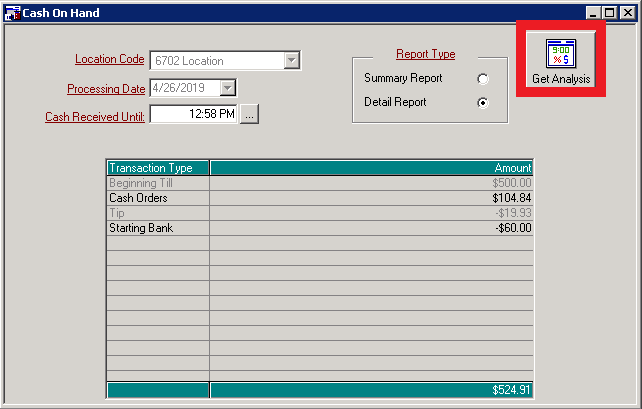
- Cash on Hand will now show all the cash transactions that have taken place for the day.