
⏱️Admin TM Clocked In or Not Checked Out
⏱️Admin Team Member Clocked In or Not Checked Out
If an Admin Team Member remains clocked in or not checked out from Pulse, follow these steps based on the time of day and the situation.
🧭 Quick Navigation
- ⚠️Admin TM Clocked In but Not Clocked Out (Before 10PM)
- ⚠️Admin TM Clocked In After 10PM (EOD Wizard)
- ⚠️Admin TM Not Checked Out
- 🚧If the Issue Persists
- ✅Summary
⚠️Admin TM Clocked In but Not Clocked Out (Before 10PM)
If an Admin Team Member is clocked in but not clocked out before 10PM, the store must contact their District Manager (DM). The DM will follow the Emergency HELP Line Protocol to handle the issue appropriately.
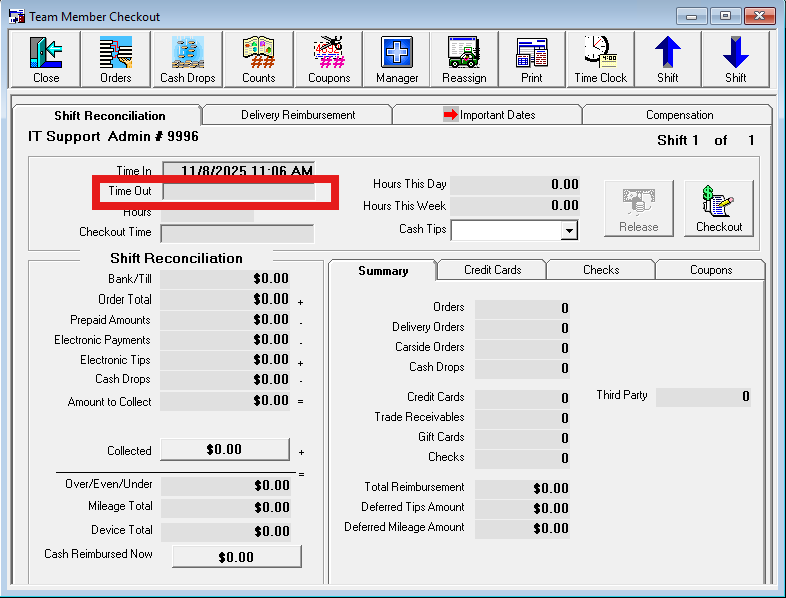
⚠️Admin TM Clocked In After 10PM (EOD Wizard Fails to Clock Out)
After 10PM, the End-Of-Day (EOD) Wizard includes a step designed to automatically clock out and check out any Admin Team Members still clocked in. If this fails during the EOD Wizard, the store must send an email to IT@teammurph.net and copy their DM on the message.
Subject: “#### EOD failure” (replace #### with your store number)
In the body of the email, include a brief description of what occurred and at what point the failure happened. These steps apply to any type of EOD failure, not just those related to Admin Team Members.
⚠️Admin TM Not Checked Out
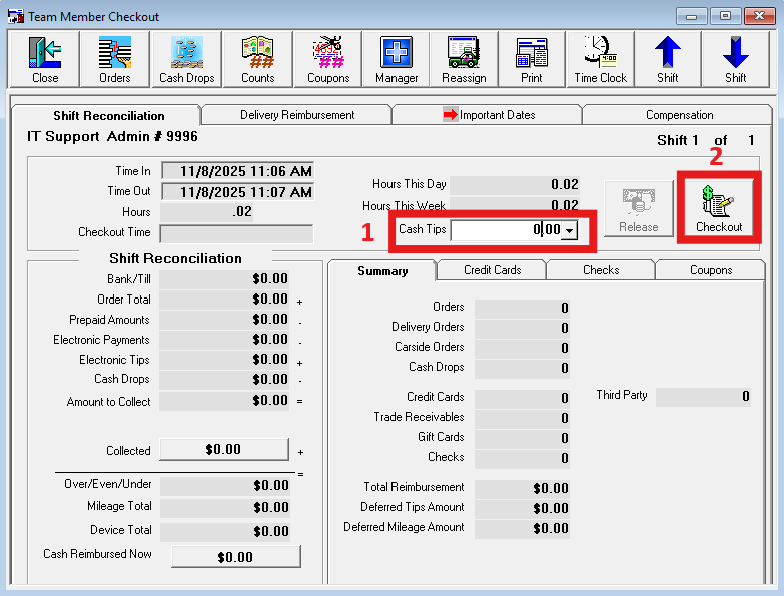
If the Admin TM is not checked out but already clocked out, any Shift Lead, Team Lead, GMIT, AM, or GM can check them out in Pulse by entering $0 in the tips box and pressing the Checkout button.
🚧If the Issue Persists
If none of the above steps resolve the issue, please make sure to send the email listed in the Admin TM Clocked In After 10PM section so that IT can resolve the issue during the morning protocol.
✅ Summary
- Before 10PM → Contact the DM to follow the Emergency HELP Line Protocol.
- After 10PM → If the EOD Wizard fails (for any reason), email IT@teammurph.net with subject “#### EOD failure,” copy your DM, and describe the issue.
- If only not checked out → Authorized leads or managers can check them out by entering $0 in tips and pressing Checkout.
Store Team Members should never attempt to edit time records or forcibly log out the Admin TM. Always follow the correct process for timing and escalation.