
How To Save Login Info for RDP
Follow these steps in order to save the username and password in the RDP so that you will automatically log in to Pulse when you open the RDP:
- Select the RDP with one left click:
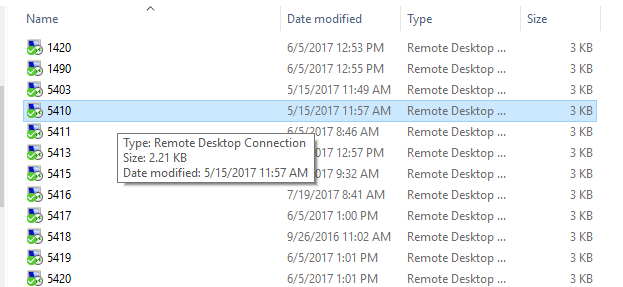
-
Right click the RDP and select Edit:
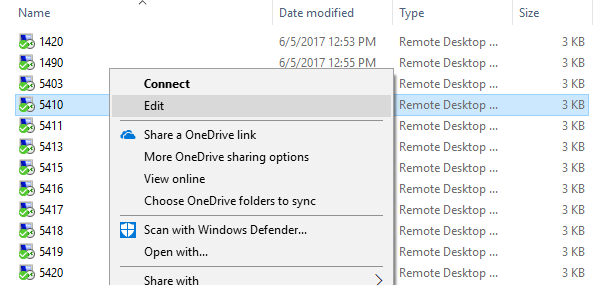
-
Input the username (user for old systems, localstore for new systems) (a), select Allow me to save credentials (b), click Save (c), and click Connect (d):
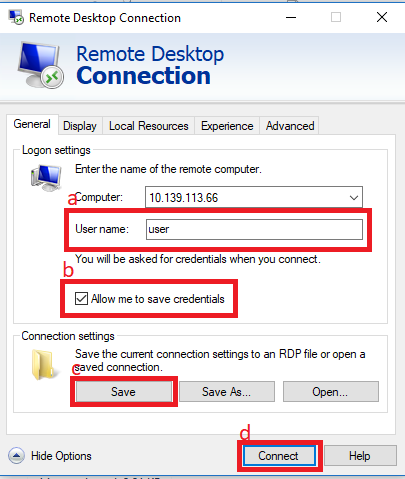
-
Add the password (PULSE for both old and new systems) (a), make sure Remember me is checked (b), and click OK (c):
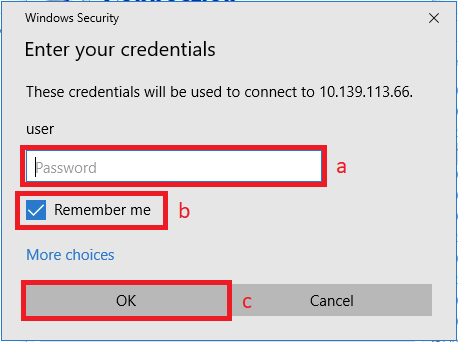
If you encounter either of the following messages, select Do not ask me again for connections to this computer before you press Connect or Yes:


After all of these steps, you should be able to double click the RDP and be logged into Pulse with no further actions.
If you accidentally enter the incorrect information, you may delete the credentials and start the process over:

